

Configuring a webhook within the web app
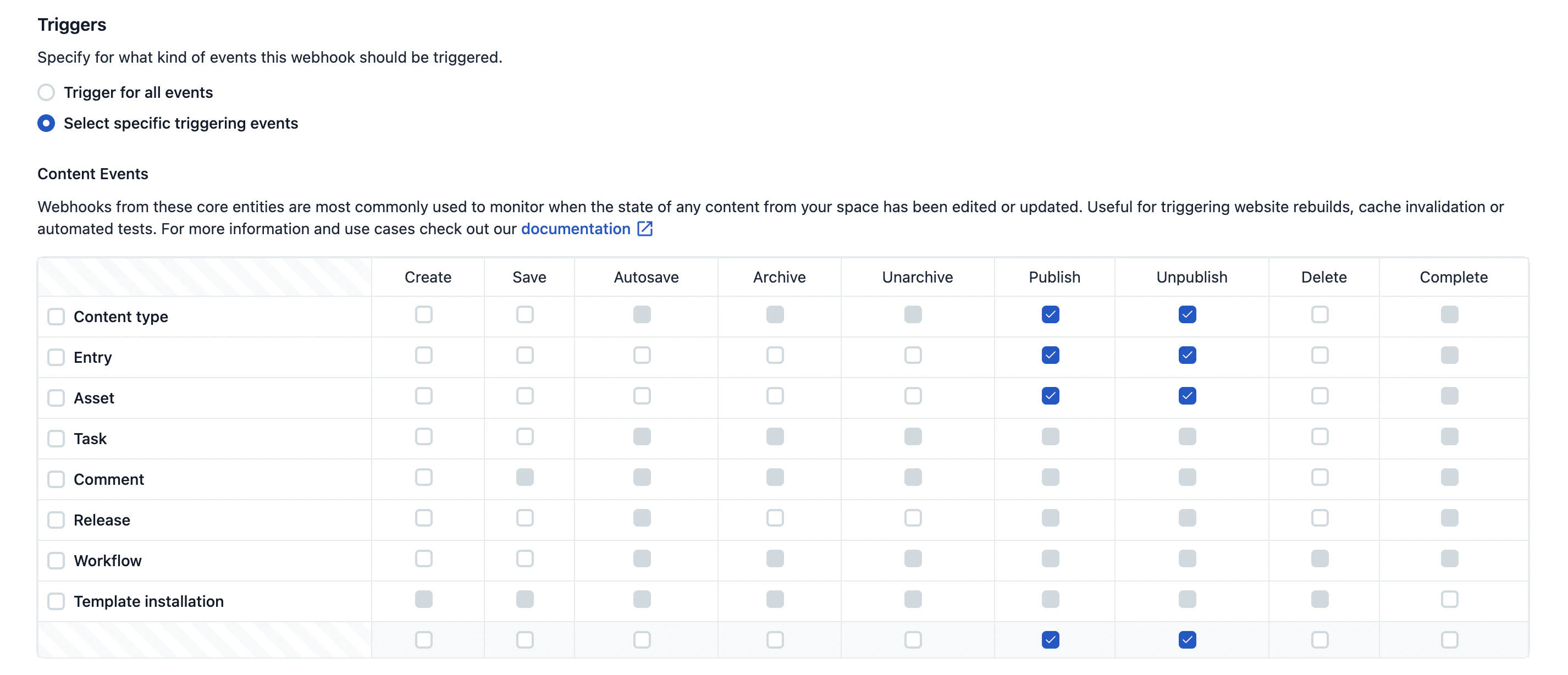
In the top navigation bar, open Settings → Webhooks. Click Add webhook, configure the remote host and click Save.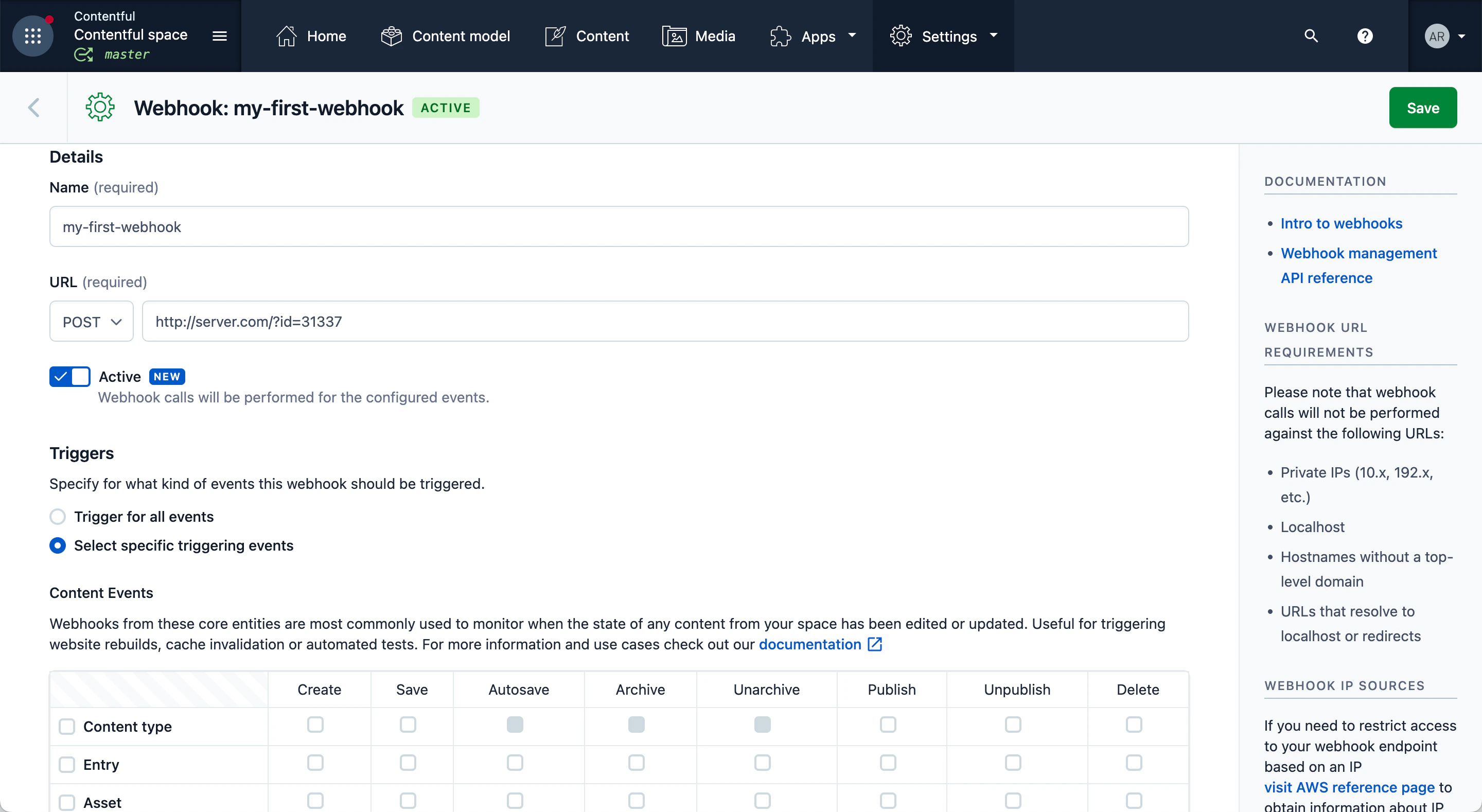
Note: Per W3C RFC-9110,
GET and DELETE requests should not have a request body. As such, Contentful webhook calls do not contain a body for these request methods.Configuring a webhook via API
Create a webhook by sending the settings for the webhook in a request body with your API call, for example, the following the http request:create a webhook
url, name, it will trigger for all topics and will not apply any filtering constraints.
Topics
When creating a webhook you have to explicitly specify for which changes on your content (topics) you want your webhook called. For example, your webhook could be called when:- Any content (of any type) is published.
- Assets are deleted.
[Type].[Action] pairs, [*.publish, Asset.delete, Entry.*], and included in the payload that defines the webhook.
* is a wildcard character that can be used in place of any action or type. The combination *.* is also valid and means that your webhook is subscribed to all actions across all types.
Note: Using
* allows your webhook to be called for future actions or types that didn’t exist when the webhook was created or updated.
Find more details on creating a webhook with the API in our reference docs.Headers
By default, all webhooks will contain the following headers
Additionally, extra headers may be sent to provide extra context, such as which scheduled action or bulk action triggered the action. A summary of these headers can be found in the webhooks section in the reference documentation of the Content Management API.
Filters
The webhook definition holds afilters property. Filtering is a second step after defining the topics. Typical use cases for filtering are enabling a webhook only for a specific environment ID or entry ID. Without a filter, a webhook with the topic Entry.publish is triggering for all entries in the master environment of a space. By applying a filter we could make the webhook only trigger for specific entry IDs within a specific environment.
A filter is defined by adding one or multiple parameter constraints to the webhook definition. The constraints consist of:
A property of the entity to evaluate:
sys.idsys.environment.sys.idsys.contentType.sys.id(for Entry events only)sys.createdBy.sys.id(not applicable to Unpublish and Delete events)sys.updated.sys.id(not applicable to Unpublish and Delete events)sys.deletedBy.sys.id(only applicable to Unpublish and Delete events)
equalsinregex
- string value (e.g.
"myEntryId") forequals - array of strings (e.g.
["idOne", "idTwo"]) forin - definition of a pattern (e.g.
{"pattern": "^ci-.+$"}forregexp)
master or development, the constraint would look like:
AND. Let’s narrow the above’s filter further down so it only triggers for an entry of ID foo in environments with ID master or development:
ci- followed by 3-5 lowercase characters (e.g. ci-foo, ci-bar but not ci-foobar):
sys.environment.sys.id.
For a full reference on how filters are defined please refer to the webhooks section in the reference documentation of the Content Management API.